For Organizers (Admin)
News & Email
Publish announcements and send bulk emails to your competitors.
GldComp gives organizers two ways to reach pilots and the public: News posts on the website, and bulk email straight to competitors.
Publishing news
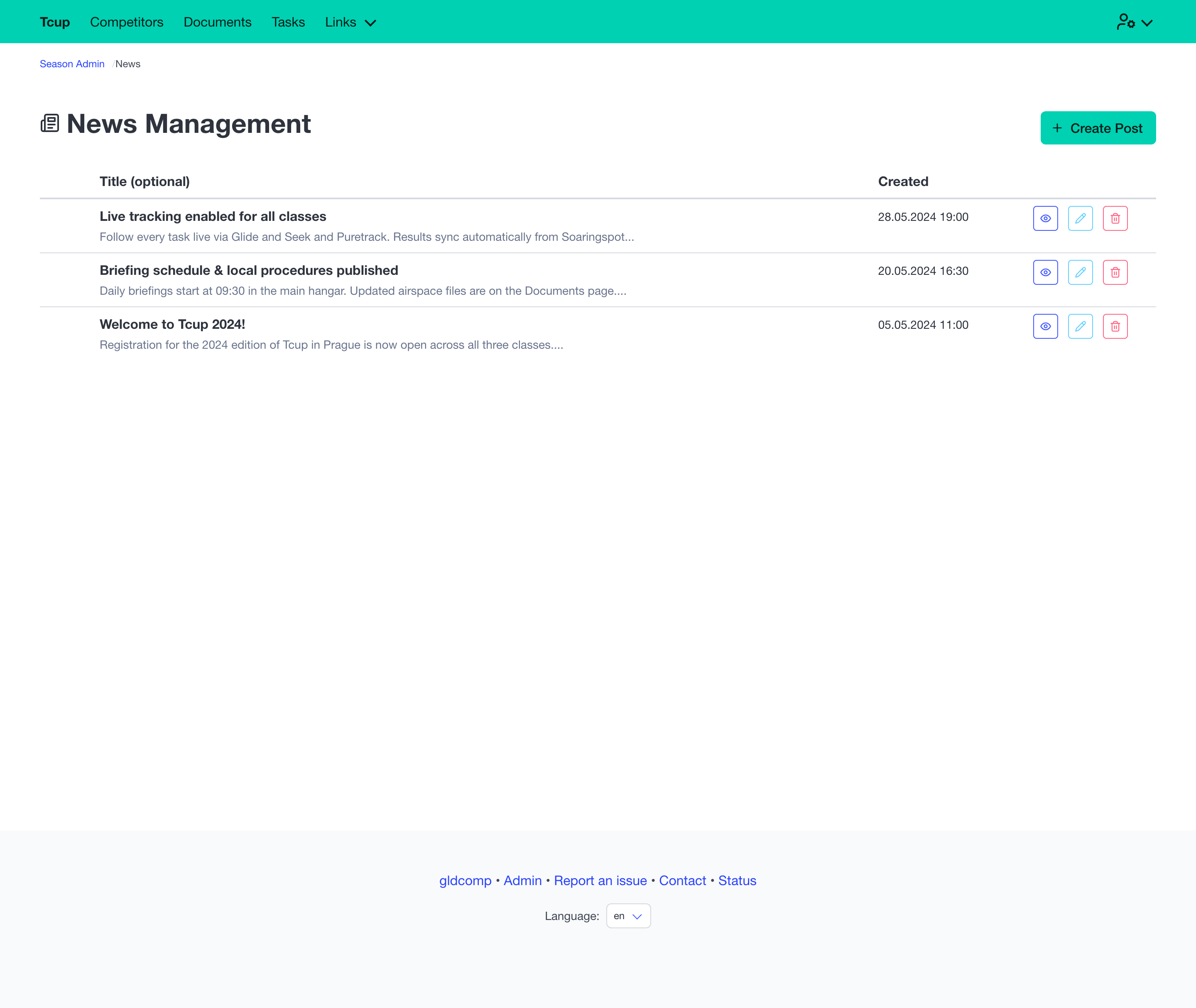
The News admin lists your posts with their cover image, title and date, and lets you create, edit, preview (on the public site) or delete each one.
The post editor is a rich-text editor with image support:
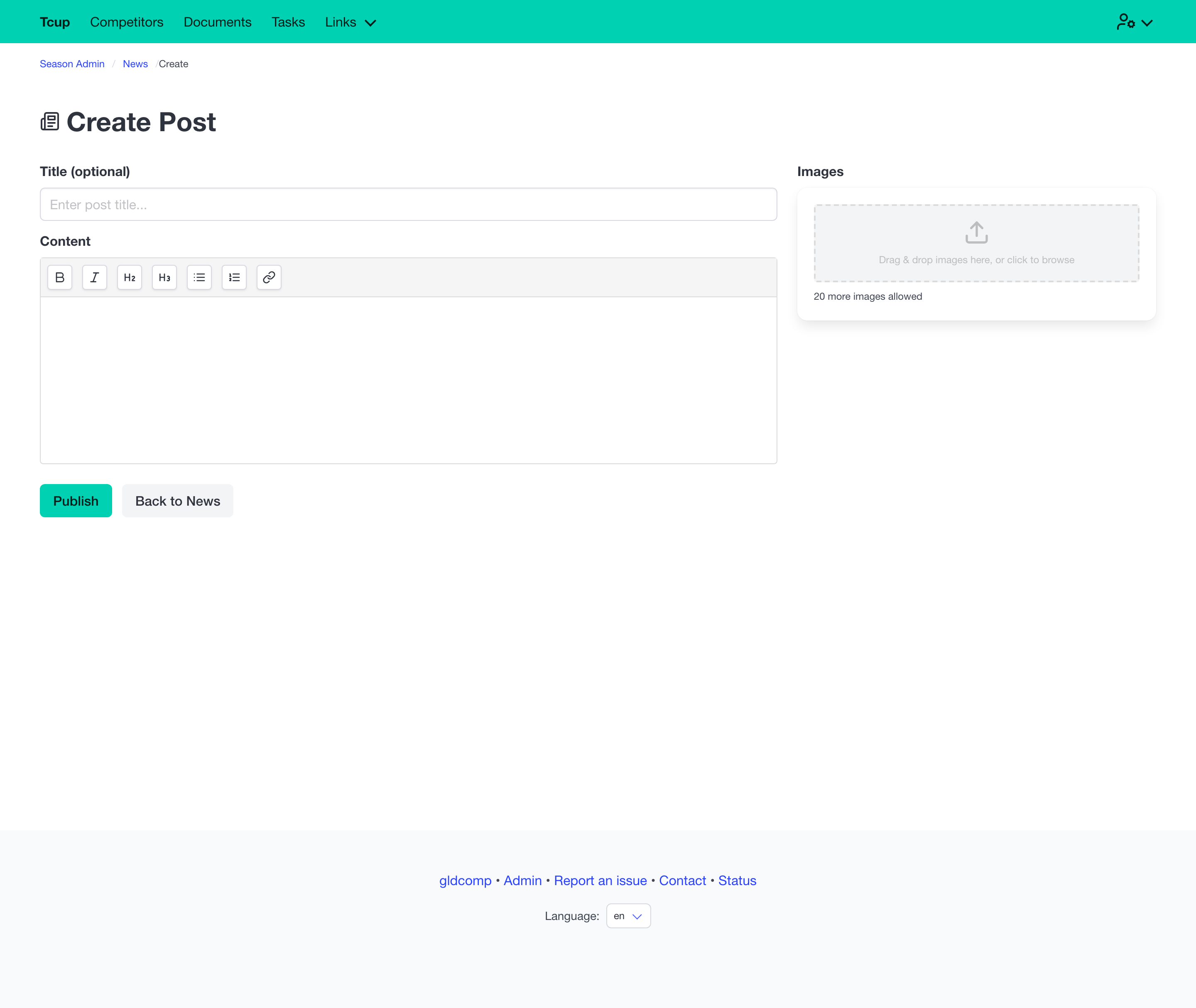
- Write the body with full rich-text formatting.
- Add up to 20 images; pick one as the cover image.
- Add an optional excerpt (auto-generated from the content if you leave it blank).
- A web-friendly URL (slug) is generated from the title automatically.
Posts appear instantly in the public News section and on the home page. Team members with the Reporter role can manage news without access to the rest of the admin area.
Sending bulk email
The Send Bulk Email tool composes a message and sends it to a filtered set of competitors.
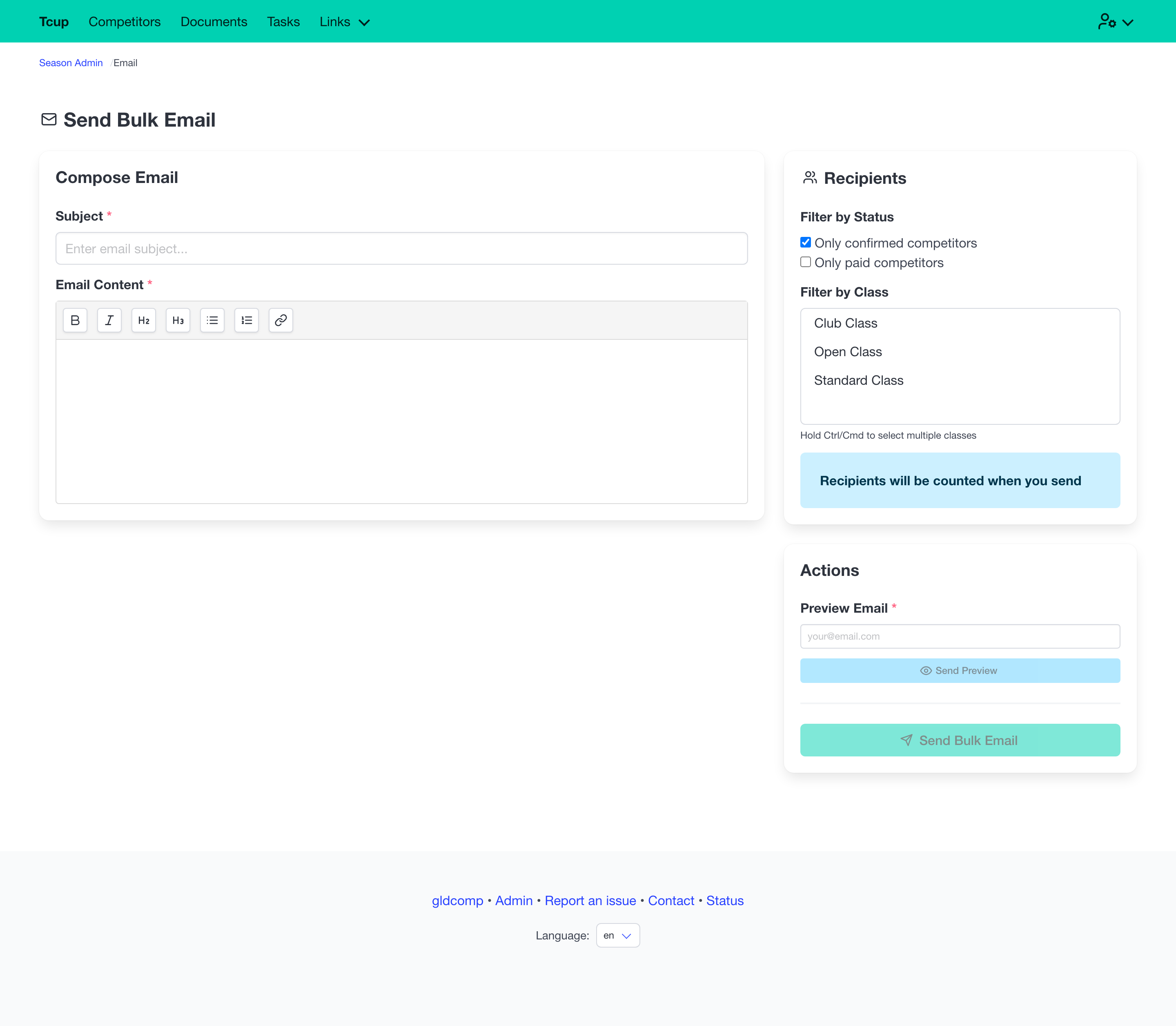
- Write a subject and a rich-text body.
- Filter recipients — limit to confirmed and/or paid competitors, and select one or more classes.
- Send a preview to your own address first to check how it looks.
- Then Send Bulk Email — GldComp queues it and reports how many recipients it’s going to.
Bulk emails are sent as a background job, so large sends won’t tie up your browser.