Managing Competitors
Review entries, accept and mark pilots paid, add or edit competitors, and export the entry list.
Competitors Management is where you process entries — from reviewing new registrations to producing the final start list.
The competitor list
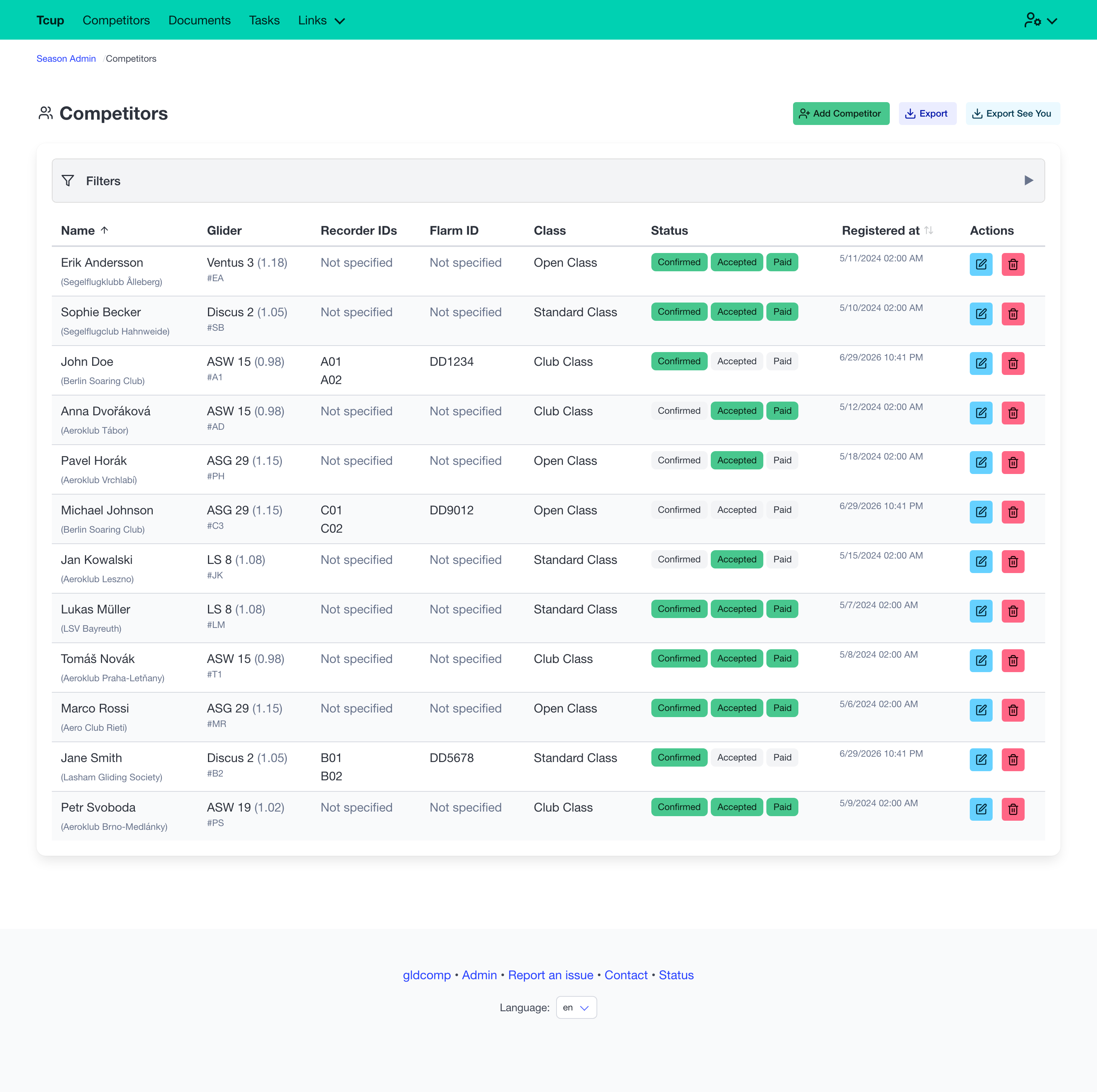
The table lists everyone who has registered, with search and per-class filtering. The key workflow is the set of status toggles on each row:
- Confirmed — competitor’s details have been verified.
- Accepted — competitor is approved to compete.
- Paid — entry fee received.
Click a status to toggle it instantly. From the header you can also Add Competitor manually and export the entry list (see below).
Exporting the entry list
The header offers two export options for getting your competitors out of GldComp and into other tools:
- Export (CSV) — downloads the full competitor list as a spreadsheet-friendly CSV file, with all of each entry’s details. Useful for paperwork, mail-merges, or importing into your own systems.
- Export SeeYou — produces a competitor file for SeeYou and other scoring software. A short dialog lets you:
- Select a class to export (or export all).
- Choose a reference glider — when set, handicap indexes are normalized relative to that glider’s index; leave it on No reference to export the raw indexes.
Exports always reflect the current list, so re-export whenever entries or statuses change.
Adding a competitor
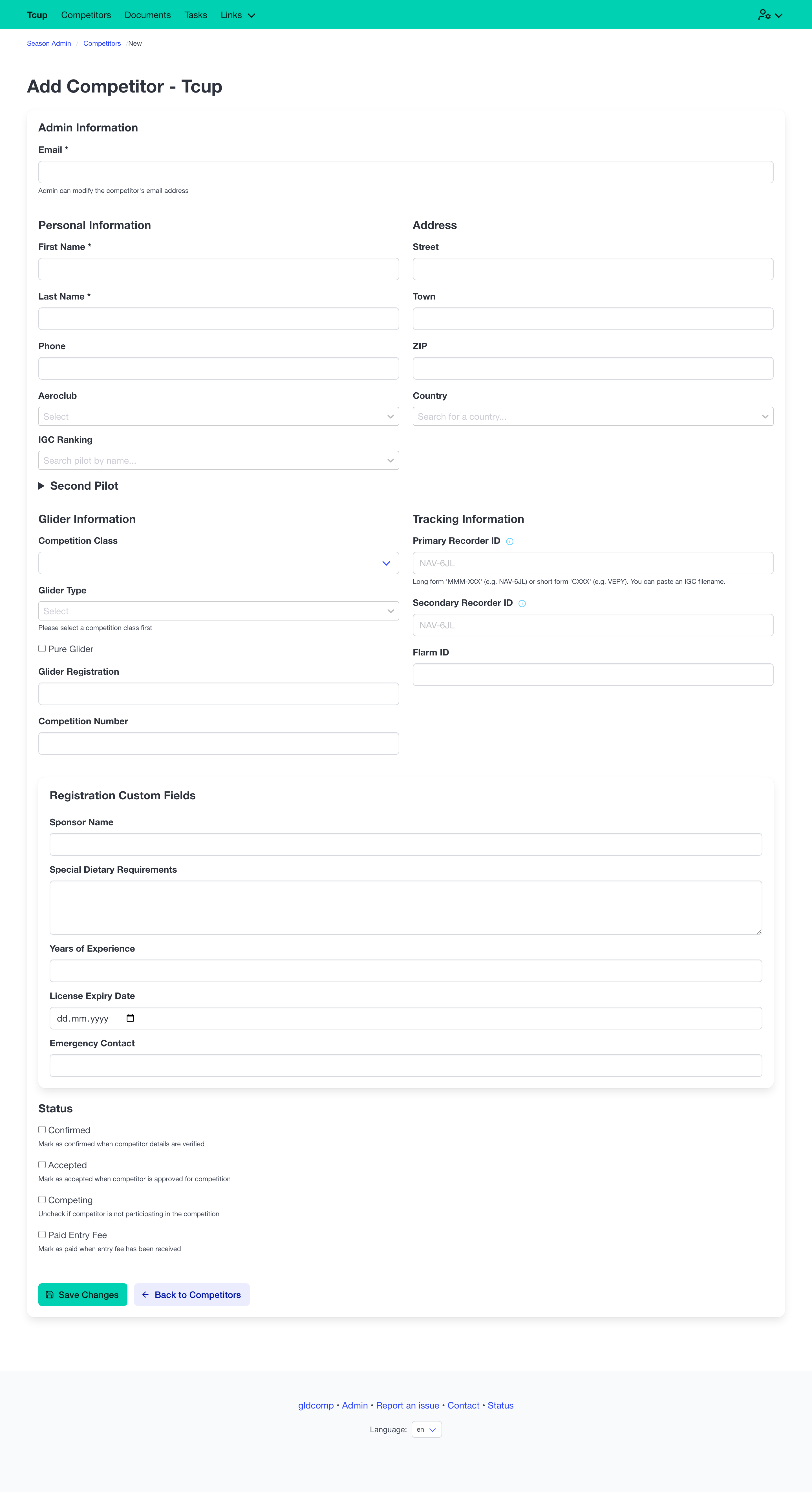
The Add Competitor form lets organizers enter a pilot directly (useful for on-site or phone registrations). It captures the same details as pilot self-registration — personal info, address, glider, tracking IDs and an optional second pilot.
Editing a competitor
Opening a competitor shows their full record. Alongside the standard fields, organizers get an Admin Information block to control the entry’s status directly:
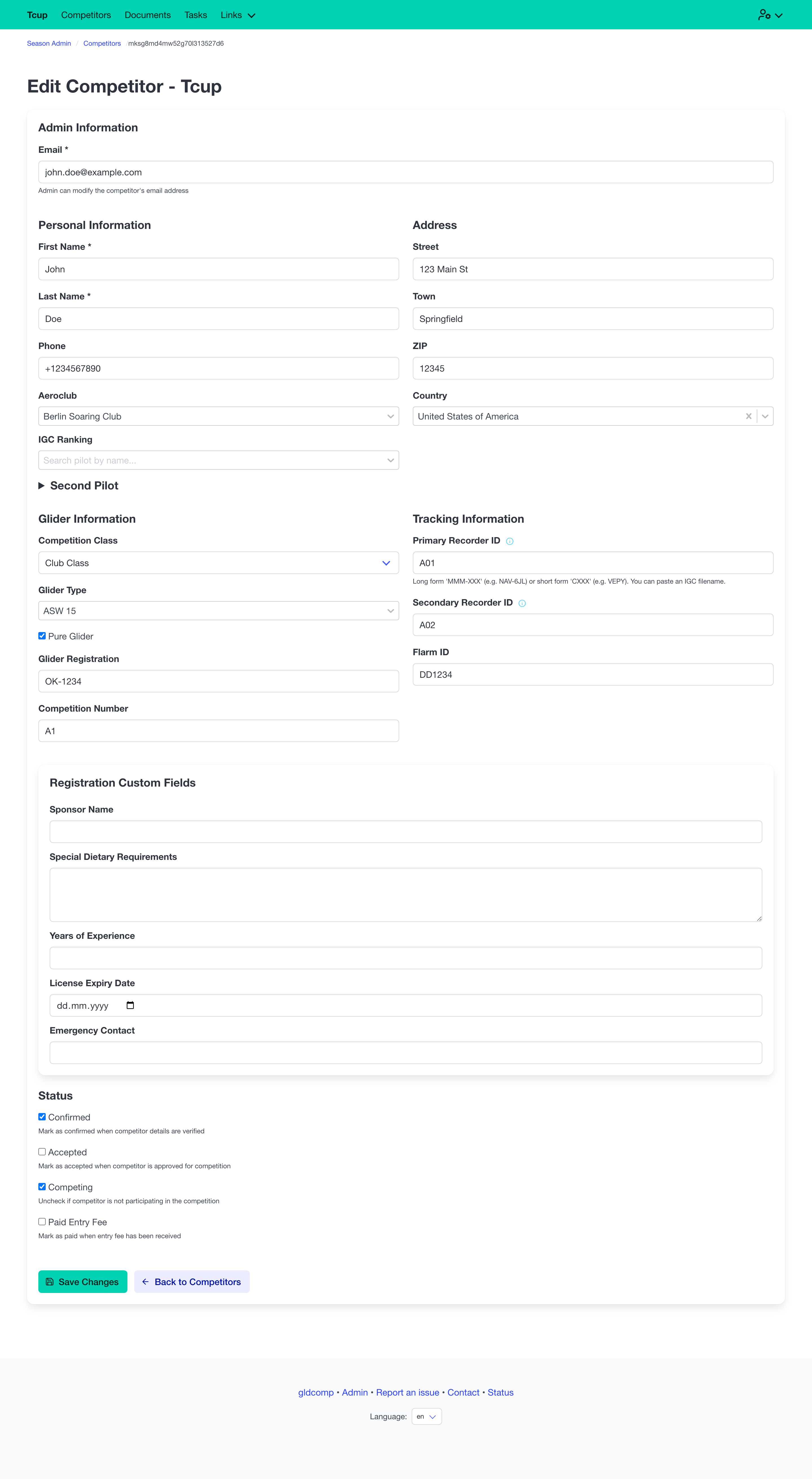
- Change the competitor’s email (something pilots can’t do themselves).
- Toggle Confirmed, Accepted, Competing and Paid entry fee.
This is the same data that drives the public competitor list and the status badges shown there.