For Organizers (Admin)
Custom Registration Fields
Add your own questions to the pilot registration form.
Need to collect something specific from pilots — an emergency contact, dietary requirements, a license number? Registration Custom Fields let you add your own questions to the entry form without any code.
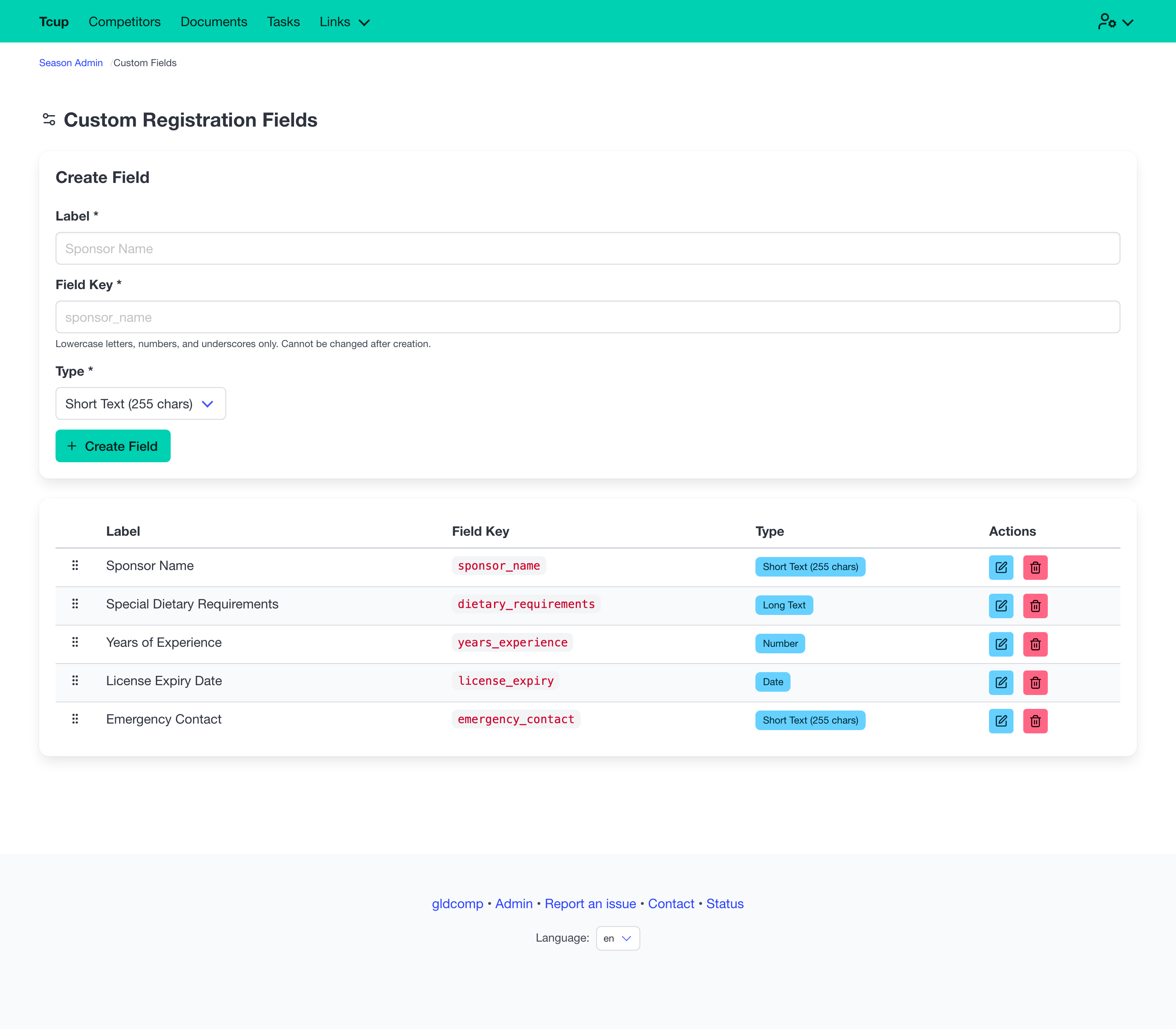
Creating a field
Each field has:
- Label — what pilots see (e.g. Emergency Contact).
- Field key — an internal identifier (lowercase letters, numbers and underscores). It’s fixed once created, so existing data never breaks.
- Type — choose from Short text, Long text, Number, Date, or Checkbox.
Managing fields
- Drag to reorder fields — the order here is the order pilots see on the form.
- Edit a field’s label or type inline.
- Delete a field. The definition is removed, but any values already collected stay on the competitor records.
Custom fields appear automatically in the Registration custom fields section of every pilot’s registration form.