Season Settings & Classes
Set your registration window, competition details, and the classes pilots compete in.
The admin dashboard is the control panel for the season itself — its details, its registration window, and its competition classes.
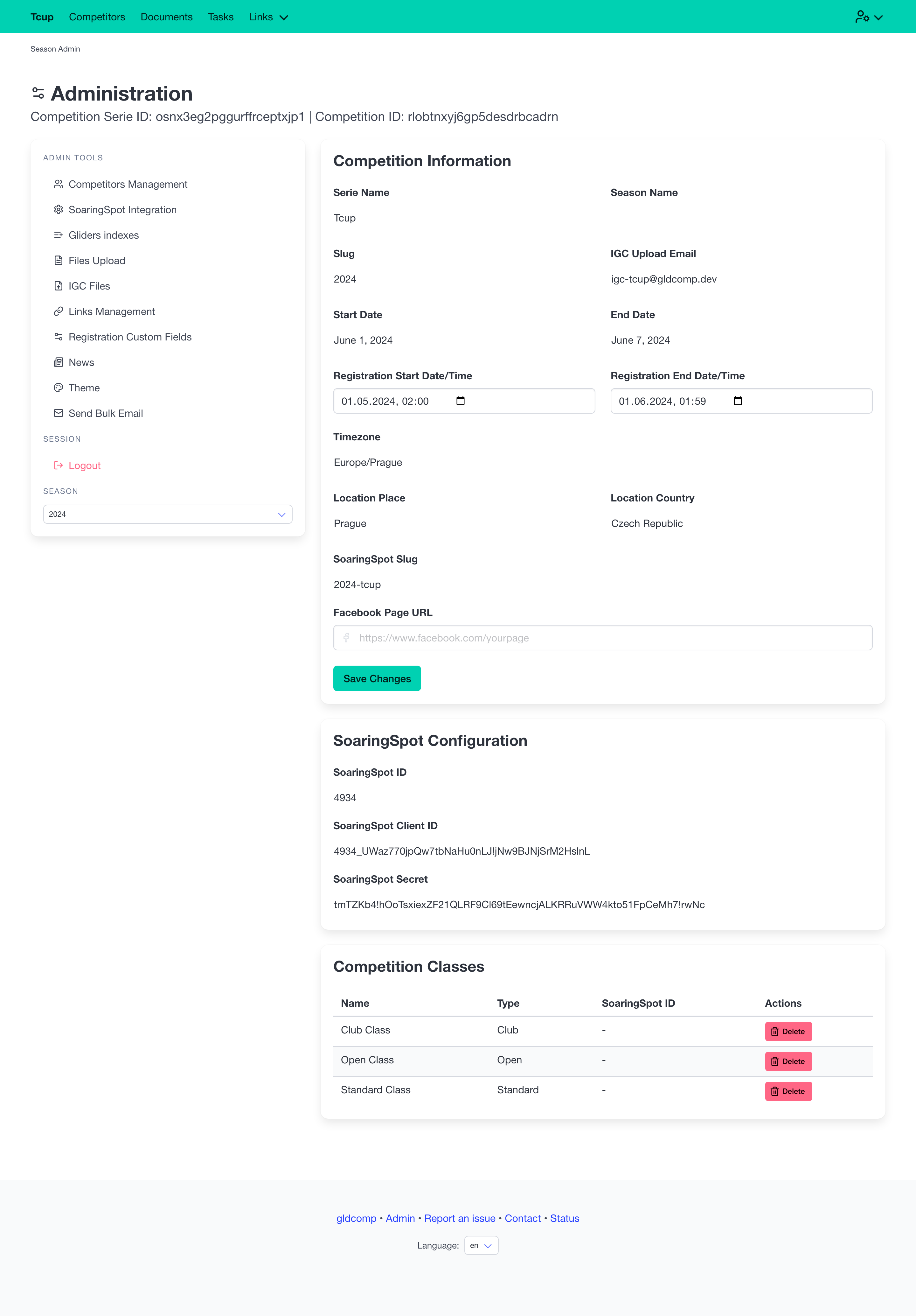
Competition information
The Competition Information form lets you set:
- Registration start / end date & time — controls exactly when the public registration form opens and closes (shown in the competition’s own timezone).
- Facebook page URL — optional; when set, the feed embeds on the home page.
Read-only details (series, season name, slug, dates, location, and the season’s dedicated IGC upload email) are shown alongside for reference. Click Save Changes to apply edits.
SoaringSpot configuration
If the season is linked to Soaringspot, its API credentials are summarized here. This connection powers the automatic syncing of classes, tasks, results and files — see SoaringSpot Sync.
Competition classes
The Competition Classes table lists every class in the season (e.g. Club, Standard, Open) with its type and Soaringspot ID. Classes are normally created automatically when you sync from Soaringspot, and you can delete a class here.
Deleting a class is permanent and unsets all data associated with it (competitors’ class assignment, tasks, results), so GldComp asks you to confirm before removing one.