The Organizer Admin Area
How to reach the admin area, what's in the toolbox, and who can use each part.
Every season has a private admin area where the organizing team runs the competition. It’s reached from the Admin link in the site footer (or directly at …/s/<year>/admin) once you’re signed in with an organizer account.
The admin toolbox
The admin area opens on a dashboard with the full toolbox in the left-hand menu. From here you can reach every part of running the season:
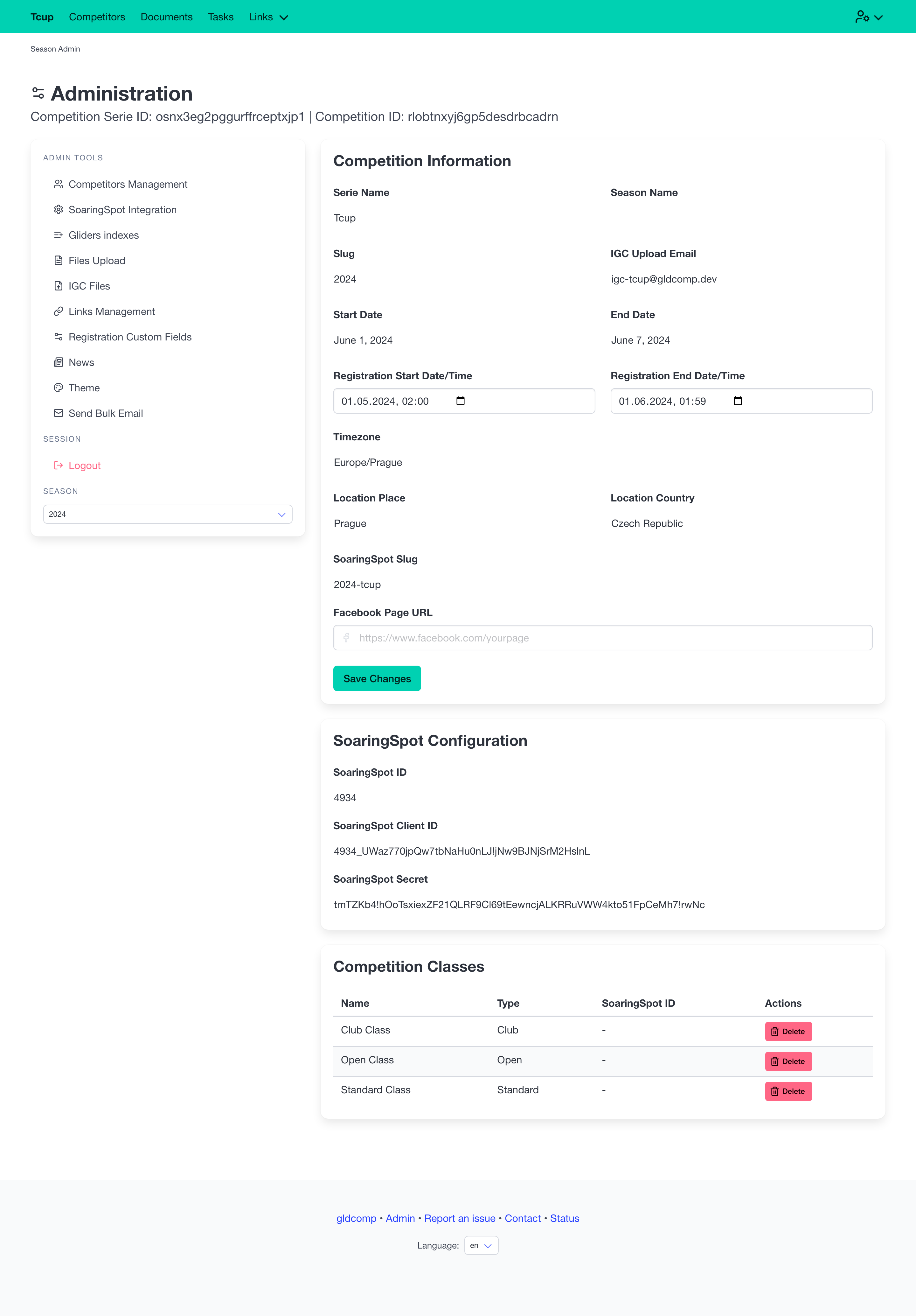
The Admin Tools menu covers:
| Tool | What it’s for |
|---|---|
| Competitors Management | Add, edit, accept and export entries |
| SoaringSpot Integration | Sync classes, tasks, results and files |
| Gliders Indexes | Manage handicap indexes per class |
| Files Upload | Waypoints, airspace and documents |
| IGC Files | Review uploaded flight logs |
| Links Management | Custom navigation links |
| Registration Custom Fields | Extra questions on the entry form |
| News | Announcements and updates |
| Theme | Branding, logo, hero image, colors |
| Send Bulk Email | Email your competitors |
If you have access to more than one season, a season switcher at the bottom of the menu lets you jump between them.
Roles
Access is role-based, so you can share the work safely:
- Organizer — full access to every tool above.
- Reporter — sees only News, for publishing announcements.
Series-level Admins additionally create new seasons and manage who has access — see Series, Seasons & Team.
The pages that follow walk through each tool in turn.