SoaringSpot Sync
Classes, tasks, results, winners and contest files sync automatically from Soaringspot — and can be forced manually here.
GldComp integrates with Soaringspot so you don’t have to re-enter competition data by hand.
Once a season is connected to Soaringspot, syncing happens automatically — competition info, classes, tasks, results and contest files are kept up to date for you in the background, with no action needed during the event. The SoaringSpot Integration tool is where you can manually force a sync when you want the latest data right away (for example, immediately after results are published), and where you can review the sync history.
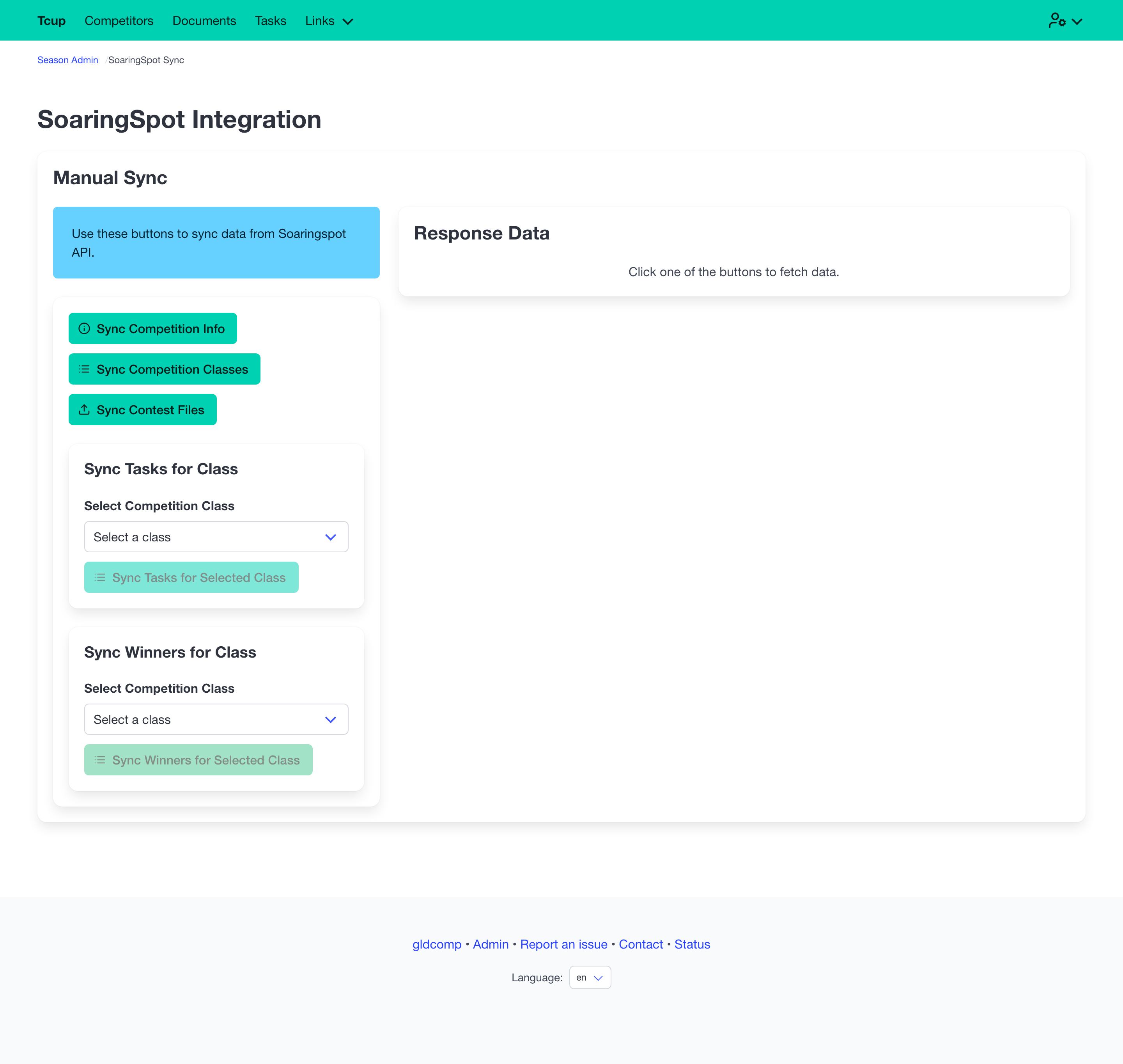
Forcing a sync manually
Although everything syncs on its own, you can trigger any of these on demand from this page:
- Competition info — name, dates, location, timezone.
- Competition classes — the class list.
- Tasks — for a selected class.
- Winners / results — for a selected class.
- Contest files — waypoint, airspace and related files.
Fetched data is shown in a preview panel (with a raw JSON toggle for troubleshooting) before it populates the site.
Sync jobs history
Syncs run as background jobs, so a large pull won’t block you. The Sync Jobs table tracks each run — its type, who triggered it, timestamps, status (Completed, Running, Failed…) and any error — with retries handled automatically.
Credentials are entered when you create the season (see the new-season wizard). The dashboard shows whether a season is connected.