Branding & Theme
Make the competition site your own — logo, hero image, colors and custom CSS.
The Theme tool lets you brand the competition site to match your event, all without touching code.
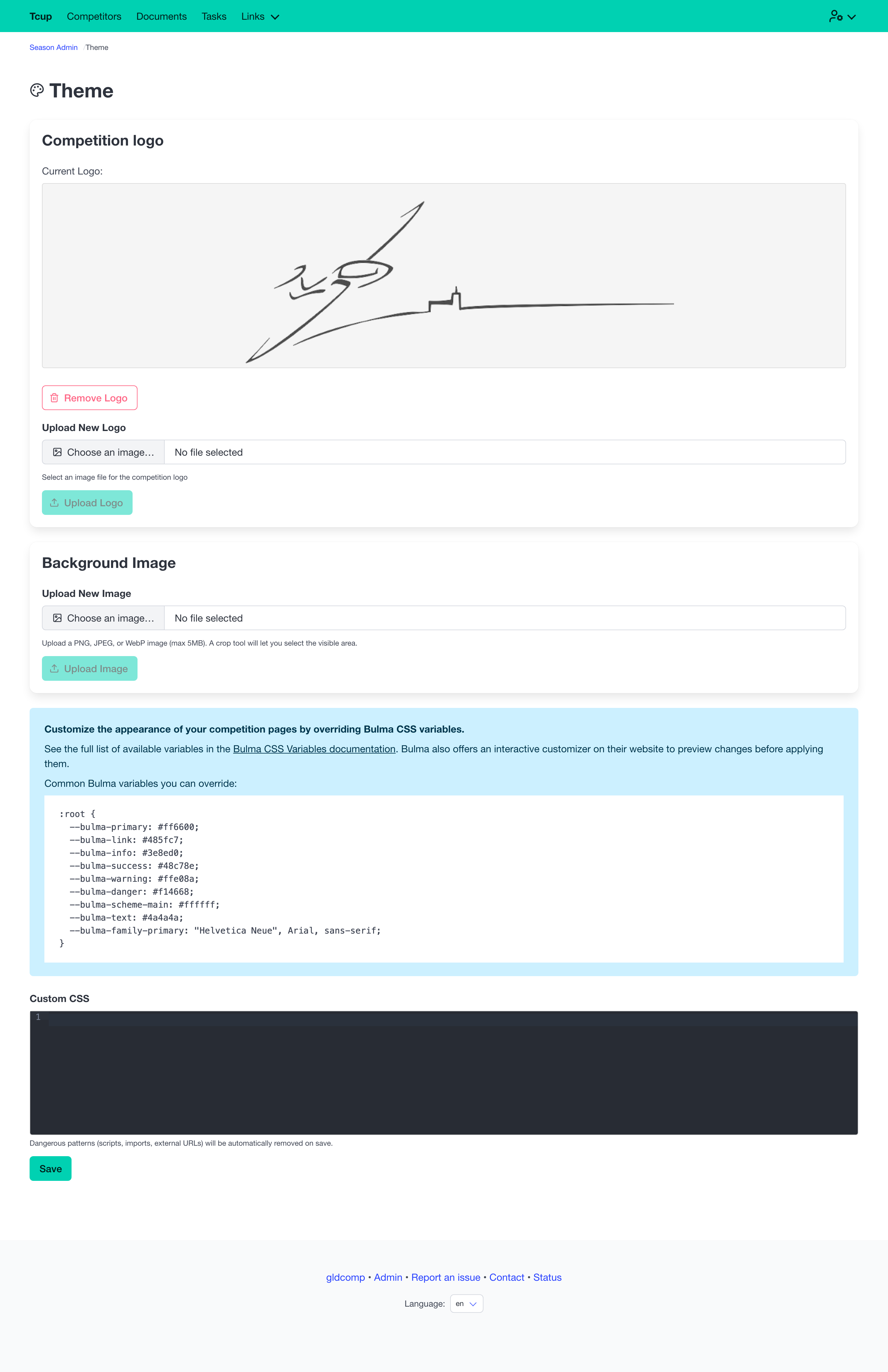
What you can customize
- Logo — upload your competition logo (PNG, JPEG or WebP); it appears in the header and on the home page.
- Hero background image — upload and crop a banner image for the home page (up to 5 MB).
- Hero overlay — choose a dark (white text) or light (dark text) overlay so your title stays readable over the image.
- Custom CSS — fine-tune colors and fonts by overriding the site’s CSS variables (for example the primary color or font family). A documentation link and examples are provided.
Customizing colors with Bulma CSS variables
The competition site is built on Bulma, so you can restyle it by overriding Bulma CSS variables in the Custom CSS box — for example --bulma-primary, --bulma-link or --bulma-family-primary.
The easiest way to build a matching palette is to use Bulma’s customizer to generate a custom color scheme for your competition, then paste the resulting variables into the Custom CSS field.
For safety, custom CSS is automatically sanitized on save — scripts, imports and external URLs are stripped — so styling changes can never compromise the site.
Combined with custom navigation links and the white-label custom-domain support, the Theme tool lets each competition feel like its own website.